Beep
The small robot from the films, in your own browser
He sits in the corner of every page, waves when you come back, and can tell you what AI could take off your hands, explain the paragraph under your pointer, check a message for a scam, or draft your reply. He reads only what you point at, when you press, and the text is not kept.
Add Beep to ChromeFrom the Chrome Web Store · one click, free · works in Edge tooSee him on the book firstNo install needed
Fifty seconds, the five steps on a real screen, in Beep’s voice. Beep is drawn and voiced with AI tools; the screens are real.
From the store · one click
Press Add Beep to Chrome above, then Add to Chrome on the store page and Add extension when Chrome asks. Edge opens the same page: choose Allow extensions from other stores first if it asks. Then open any website and Beep is in the corner. Chrome keeps extensions off its own pages and the store page itself, so you will not see him there.
Without the store · the zip, two minutes
For a computer that cannot use the store: download Beep.zip and follow the five steps.
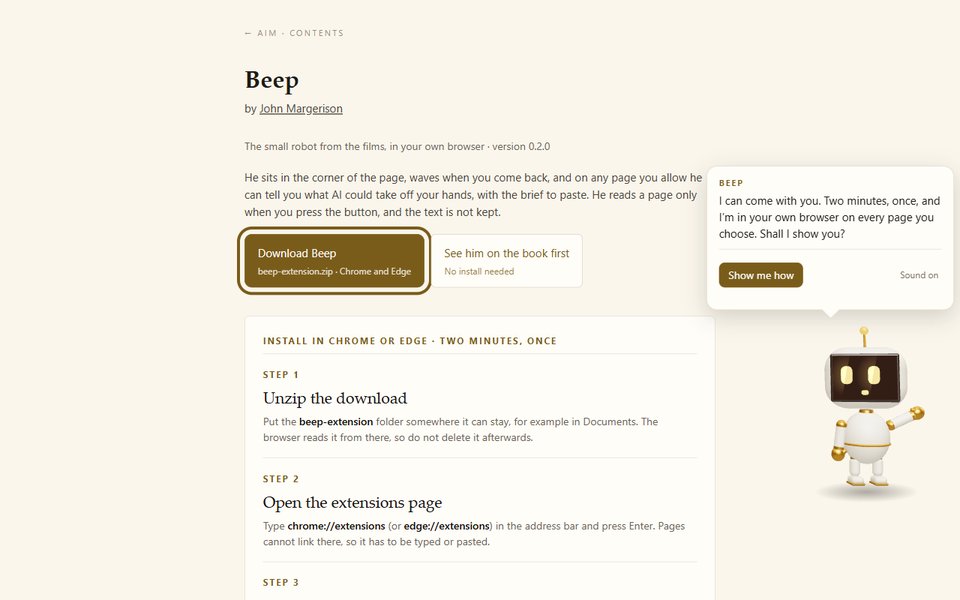
Step 1
Unzip, then open the file inside
Right-click Beep.zip and choose Extract All. Put it somewhere it can stay, for example in Documents, because the browser reads Beep from there. Then double-click INSTALL BEEP - open me first: it walks you through the rest with a copy button for each step.
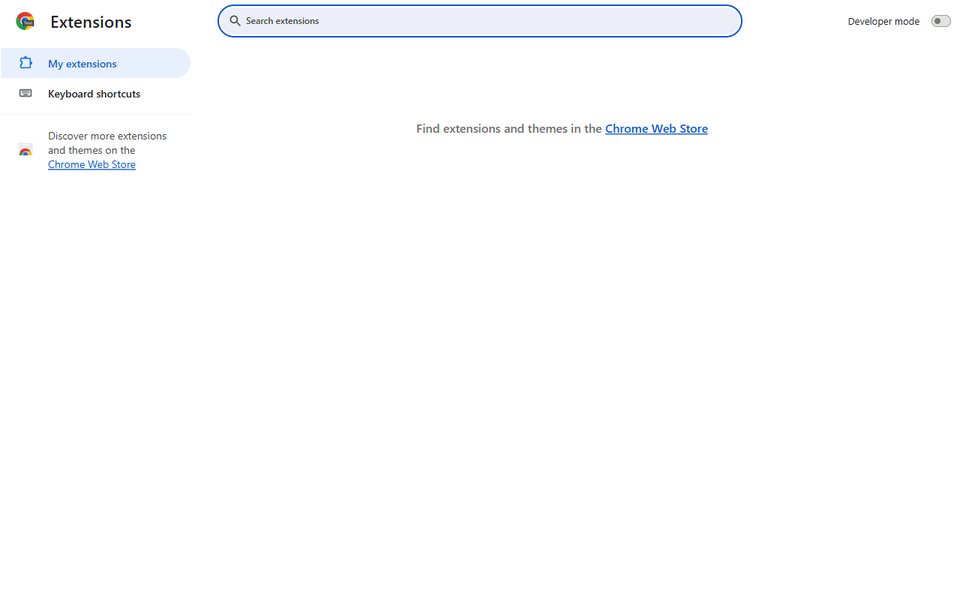
Step 2
Open the extensions page
Type chrome://extensions (or edge://extensions) in the address bar and press Enter. Pages cannot link there, so it has to be typed or pasted.
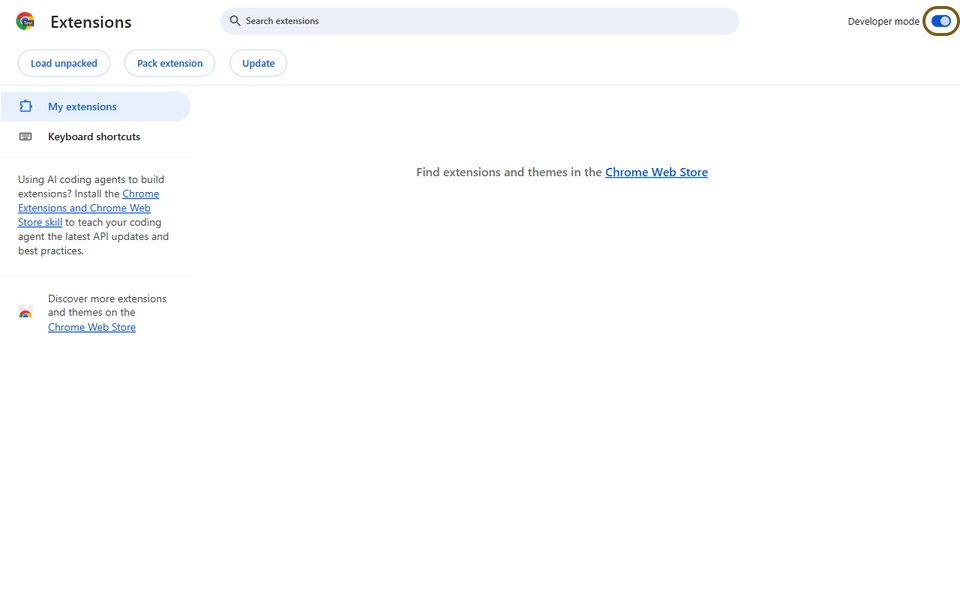
Step 3
Turn on Developer mode
The switch is at the top right in Chrome, bottom left in Edge.
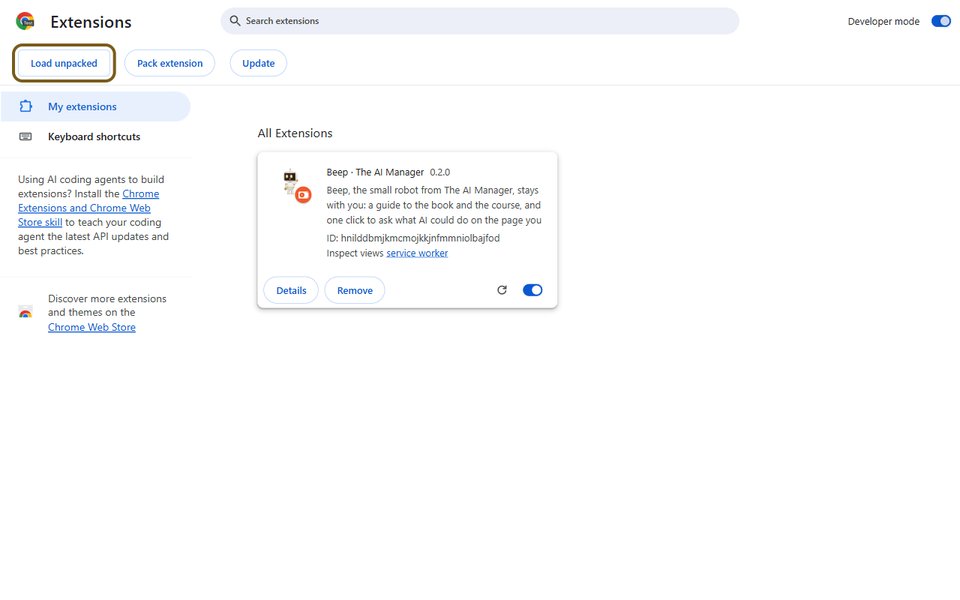
Step 4
Load unpacked
Click Load unpacked and choose the folder you unzipped. Beep appears in the list.
Step 5
Pin him
Click the puzzle-piece icon by the address bar and pin Beep. His face is now a button: pause him on every page, or turn him off for one site.
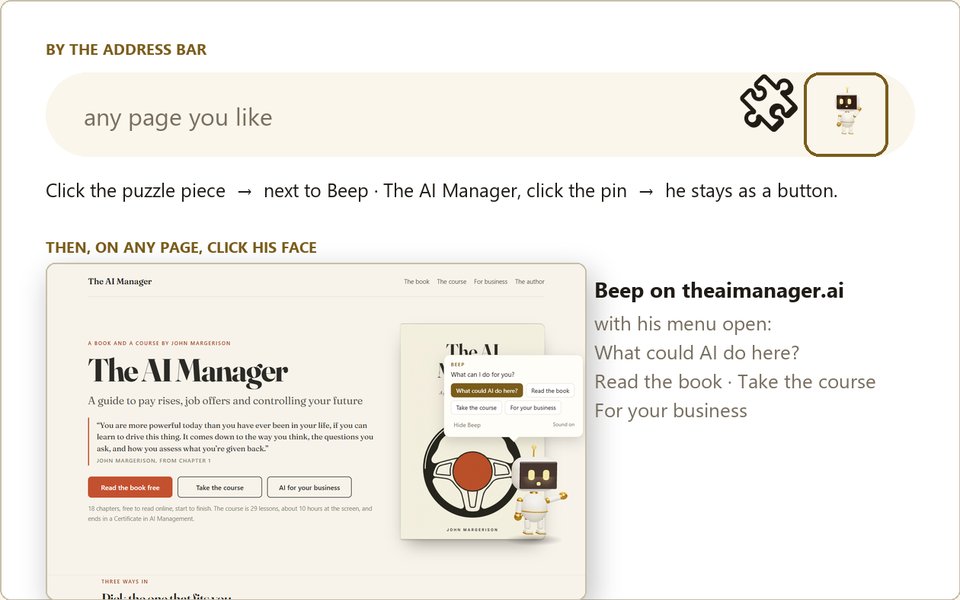
Beep sits on every page you open; sites that look like banking, health, government or sign-in stay off until you turn them on. What could AI do here? sends the visible text of that page to the book’s own server for one answer, which is not stored. Nothing else leaves your browser. The privacy page says the same in full.
On a phone
Phone browsers do not take extensions yet. Add the book to your home screen instead and Beep comes with it: in Safari or Chrome, tap Share, then Add to Home Screen. A proper phone app is on the list.
If something does not work
The zip will not open. Right-click it and choose Extract All. Inside is a Beep folder (the one to load) and the install file to open.
Load unpacked is grey. Developer mode is still off; the switch is top right in Chrome, bottom left in Edge.
Beep vanished after a restart. The folder was moved or deleted. Put it back, or load it again from its new place.
He is not on a site. Click his button by the address bar and choose Beep on here. Sites that look like banking, health, government or sign-in are off until you say so.
Work laptop. Some companies block Developer mode. The store version, when it comes, needs no Developer mode.
Load unpacked is grey. Developer mode is still off; the switch is top right in Chrome, bottom left in Edge.
Beep vanished after a restart. The folder was moved or deleted. Put it back, or load it again from its new place.
He is not on a site. Click his button by the address bar and choose Beep on here. Sites that look like banking, health, government or sign-in are off until you say so.
Work laptop. Some companies block Developer mode. The store version, when it comes, needs no Developer mode.